What’s the Best Z-Wave Thermostat? Reviews & Buying Guide
While smart home automation can save you a small fortune in energy bills, it’s nothing without a cutting-edge thermostat.
Not all units work the same efficient way, though. So, my team and I tested and reviewed the modern Z-Wave technology. We rounded up the most popular devices and came up with the best Z-Wave thermostat.
Read on to know our top pick.
Table could not be displayed.TOP 9 Z-WAVE THERMOSTATS
1. Stelpro Z-Wave
With its value for money, ease of installation, and flexibility, we all agreed that the Stelpro z-wave thermostat is our top choice among the Z-Wave thermostats we reviewed.
It’s a simple Z-Wave thermostat with an ECO design mode already set up so you could immediately start saving money.
What we particularly like about it is that this thermostat could also be paired with window and door sensors [1].
No point having your wall convection heaters running if the windows are open, right?


Just keep in mind that if you want to have access from work or while on vacation, you may need an extra smart Z-Wave plus hub controller.
2. Honeywell T6 Pro Series Z-Wave Stat Thermostat
What’s nice about this Honeywell T6 Pro Series thermostat is that it’s easy to control from the Honeywell app.
We use this at our new home so the unit comes wired, rather than using battery.
If you travel and need to control your home temperature while you are away, this is a great unit that allows you to check on your inside home temperature, just from the app.
One of the big negatives about this thermostat, is when the app is down. If the app is down, you have to manually control the unit.


3. Alarm.com Smart Thermostat
We’ve had Alarm.com-compatible security systems for many years, and having the ability to add Z-Wave thermostats into that existing system might be the fastest way to get set up.
And if you have kids at home that like to prank you by turning on the heat in the middle of summer, then the lock feature of the thermostat could be what you’re looking for.
The only thing we noticed from a few comments online is that some folks said that thermostats like these occasionally take a while before the app fully connects.


4. Radio Thermostat CT50
When it comes to home automation for temperature, it might become difficult when there are people in your home that come and go at entirely different times.
What this smart Z-Wave thermostat provides is four different periods across seven days. That might give you just the right benefits to keep everyone happy and comfortable.
What we did find, though, is that the thermostat wiring was a little bit tricky, and required a bit of patience.


5. TRANE 14942771
The Trane smart hub systems have been designed to allow you to keep track and analyze temperature information, so that you can make some more suitable adjustments for your house.
The initial setup of these smart thermostats seem to be pretty straightforward, and most people found the device installation instructions easy to follow.
One thing we did notice, though, is that using Alexa functionality to check the home temperature readings wasn’t always fully up to date in this thermostat.


6. TRANE XL824
If you’re a bit of a tech nerd like myself, then this Trane Z-Wave thermostat with a cool touchscreen might be what you want to consider.
Unlike others, the thermostat display is well organized and easy to read. What we also liked is that it claims to support up to five stages on compatible heating systems, and two cooling stages as well [2].
Just keep in mind that of all the thermostats, this device is one of the more expensive ones.


7. Honeywell Ademco Z-Wave Thermostat
Many homes have Honeywell security or other automation functionality, and if that’s your case, then this thermostat might give you benefits of easy integration and control.
We did find a few reviews that mentioned the thermostat installation was a little bit tricky.
But once it’s hooked up, setting and changing a schedule does seem to be straightforward.


8. Ecobee3 Z-Wave Thermostat
What’s cool about these EcoBee3 thermostats is that you’re able to expand the system with motion detectors.
This may help to determine what areas of homes are occupied at different times to adjust the output of HVAC systems.
Just keep in mind that there are some reports about the thermostat sensors being a bit sensitive, resulting in some inaccurate information being sent.


9. Google T3007ES
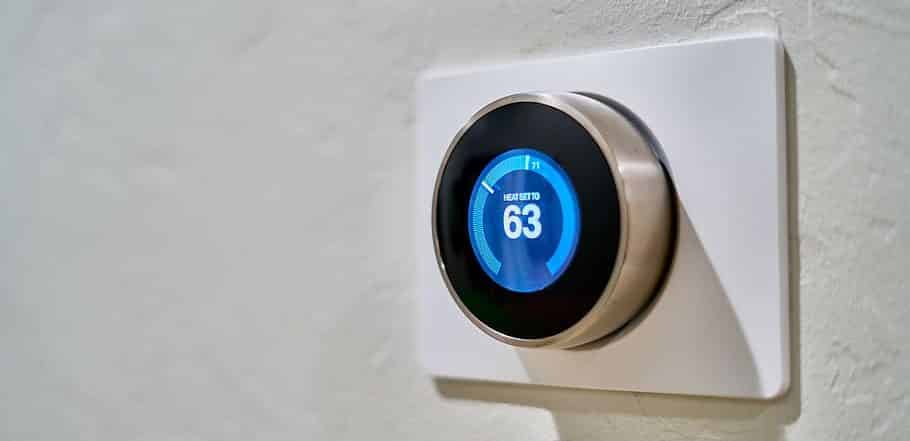
Google’s Nest has become a go-to home automation unit, and one attraction seems to be the cool look and design. It’s simple and straightforward, and the display gives you everything you need.
The learning feature of this thermostat seems to work well for smaller homes, with few people coming and going at different times.
But we did find that quite a few reviews commented about inaccurate temperature display on these thermostats.


READ THIS GUIDE BEFORE YOU BUY
Compatibility With Other Smart Home Features
Most Z-Wave plus compatible smart thermostat units these days have pretty good integration features with other smart devices on your home network.
The more it allows devices to be interconnected, the less likely you are to end up with what we call the “home cinema headache.” This is where you end up with 12 different devices or remote controls, and you always struggle to find the one you need.
Compatibility With Cooling And Heating System
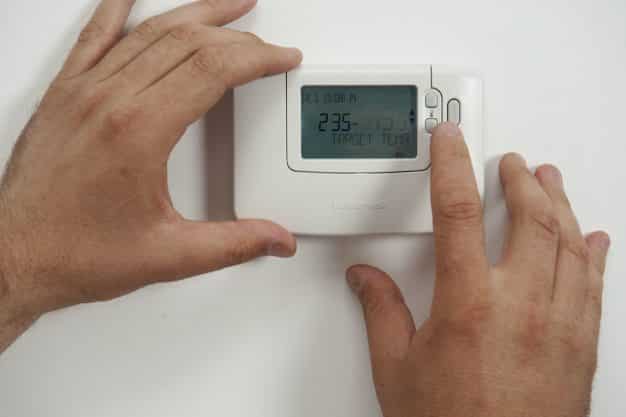
Modern systems use pretty standard wiring functionality [3], but it’s always important to check the specifications. We did encounter some heating systems at friends’ homes where we just couldn’t get the thermostat to control the HVAC systems as it was using a different set of cable configurations.
Wiring And Battery Operation
One advantage of devices that run on batteries is that it’s often less complicated to get them wired up. But you do have to factor in battery life and keep some spare batteries on hand all the time. Those that have a wired power source will most often rely on a c wire connection, which has the advantage of being more reliable.
Z-Wave Alerts Sent To You
We’ll cover smartphone integration shortly, but you don’t just want to rely on an app. Many Z-Wave plus devices these days may be configurable to send you some alert when certain things happen. For example, a sudden drop in temperature, a failed heating system response, bad weather data, or just the need to change an air filter.
Algorithms For Better Energy Use
Z-Wave thermostats have algorithms built in that aim to time your heating so that you maximize comfort and limit energy usage. While technology has become smarter, it’s still not 100% accurate. Therefore, make sure that you’re also able to override the settings, rather than sitting in the cold waiting for the schedule to run.
“Nest explained one of the major pitfalls of learning thermostats. Paradoxically, users hate losing control, even though they claim to want devices that control things for them.”
– Kelsey Campbell-Dollaghan, Tech Writer
Smart Security From Hacking
Unfortunately, smart hub and thermostat technology have increasingly come under attack from cyber threats [4]. That’s why it’s important not to just choose a random and cheap unit. If someone gains access to your thermostat, they could gain access to other devices and personal information on them.
“In a story that first appeared on Fox6Now, we specifically learn that the hackers raised the temperature on the couple’s Nest thermostat all the way up to 90 degrees.”
– Yoni Heisler, Tech Blogger
Auto-Away Geofencing To Save More Energy
While setting up schedules is a great idea, this could still result in your air conditioning unit turning on when you’re unexpectedly away for an evening.
Auto-away features (often referred to as geofencing) will determine whether specific phones are still within the house. And if they are all gone, then it might skip the configured schedules.
Thermostat Remote Sensors
Some Z-Wave thermostats may also be configured with window, motion, and humidity sensors beyond just having multiple temperature sensors. As a result, you may be able to avoid turning on an HVAC in a room that isn’t occupied or turning it off if the window has been opened.
Easy To Use Smartphone App
Another important factor is an easy to install and use smartphone app. We would generally say that it should be available on Google Play or the Apple Store to ensure it’s legitimate and secure. Also, before you buy a smart device, take a look at what the user interface looks like and if the app supports push notifications.
Z-Wave Physical Design
Z-Wave thermostats come in some very different designs ranging from very basic LCD with physical user control buttons to modern touchscreen design options. If you have a very modern home, then you might be interested in what your thermostat looks like, so don’t completely discount this.
Warranty And Customer Support
Most Z-Wave thermostats come with a 1 or 2-year warranty. But also check if the thermostat manufacturers offer a warranty extension by registering the product. Phone support is also important, especially if you think you might need some help with the installation.
WHY SHOULD YOU INSTALL A Z-WAVE SMART THERMOSTAT?
1. Energy Savings
While it’s fun to tell Alexa to turn off the lights in the garage, it’s Z-Wave plus thermostats that are making a difference when it comes to energy savings. Once it’s fine-tuned, you should be able to save anywhere from 10% to 30% on energy bills [5].
2. Z-Wave Remote Access
Let’s say you’ve set your heating to come on at 4:30 pm as you’re generally home by 5 pm. For some reason, though, you’re going to be home earlier. With remote access, you could just open the app and boost the heating levels.
3. WiFi Independence
I’ll get to how Z-Wave thermostats work shortly, but the main advantage is that they don’t require a WiFi connection. The wireless technology runs on a different protocol [6] and therefore, should also not mess up your Internet connection at home.
4. Wide Support Base
Z-Wave has pretty much become the standard technology for many smart home and security systems. This is excellent news if you want to gradually expand your smart capabilities and control them all from one display.
“In 2017, Sigma Designs announced Z-Wave SmartStart, a combination of the Z-Wave protocol and Z-Wave gateway software layers, allowing for pre-configuration and eliminating the need to manually add devices to a Z-Wave home network, as they can automatically connect when powered on.”
– Margaret Rouse, Tech Writer
5. Z-Wave Centralized Control
Even if you have a bigger house with several Z-Wave thermostats, the wireless protocol and hubs should allow you to control them all from a central unit. The easiest way is usually from the app, where you would set different schedules rather than have to go to each individual device.
WHAT IS A Z-WAVE THERMOSTAT?
A Z-Wave thermostat is a device that uses a wireless technology called Z-Wave. This allows you to remotely monitor and change temperature settings for your home.
One of the key advantages is that any compatible devices only need to be powered on for them to connect with the central unit. This means you could have multiple thermostats and sensors, all working together to make smarter decisions.
How Does It Work?
Z-Wave technology works over a wireless mesh network similar to WiFi but on a different frequency. All thermostats and devices on this network are able to exchange data and information, which is then used to make better decisions about when and whether to power up an HVAC device. It’s this integration of devices that makes them smart, as they don’t work independently, which could end up wasting energy.
FAQS
OUR #1 Z-WAVE THERMOSTAT IS…
Of all the thermostats we tested, the Stelpro model impressed us with its easy-to-use and versatile qualities when it comes to scheduling.
For a modern smart home automation system, the data and design features were not overwhelming at all. The LCD display is simple to read and contains a pre-programmed ECO mode for better energy saving. You can also pair it with window and door sensors.
These cutting-edge features, coupled with affordability, make Stelpro the best Z-Wave thermostat for your home.